How to Record a Clear K-Pop Audition Video
Prepare a clear audition recording with natural lighting, visible movement, clean sound, and a song section that shows your strengths.

A clear K-pop audition video lets the viewer see your face, hear your voice, and follow your performance without distracting effects. Start with the audition’s submission instructions, then build a simple recording setup around them.
Your job is to make the performance easy to evaluate. Beauty filters, heavy vocal effects, and lighting that washes out your face can get in the way of that goal.
| Check | What to look for |
|---|---|
| Lighting | Your face is visible without being washed out. |
| Image | No beauty filters or appearance-changing effects. |
| Framing | The requested view stays visible throughout the take. |
| Sound | Your voice is clear and not hidden by effects. |
| Opening | The chosen section introduces your strength promptly. |
What lighting should you use?
Facing a window is a useful starting point. Check the result on camera before recording the full song. If the light makes your face too bright or leaves part of it difficult to see, adjust your position.
The goal is a clear view, not a dramatic music-video look. Turn off beauty mode and filters before you begin so the recording presents you consistently.
Should you record horizontally or vertically?
Use the orientation requested by the audition. The same applies to file format, duration, and framing. Keep those requirements beside you while setting up rather than trying to fix an incompatible recording afterward.
For dance footage, test the full movement before committing to a take. Your hands and feet should stay visible when the requested format is full body. For vocals, use the view the application asks for and keep the camera steady.
How do you check the sound?
Record a short test and listen back before performing the whole selection. Can you hear the words clearly? Is background noise competing with your voice? Does the recording sound like your actual singing?
Avoid adding reverb or other vocal effects to improve the impression of the take. Follow the application’s instructions for accompaniment and recording equipment; do not assume the same audio rules apply to every audition.
What should happen at the start of the clip?
Use the requested introduction, then move into a section you have prepared well. Choose the opening for what it reveals about your voice, rather than starting with a long instrumental or waiting for a later high note.
Watch the complete clip before submitting. Confirm that it plays from beginning to end and that the sound and picture remain clear.
Do I need elaborate equipment?
Start by checking whether your existing setup makes you clear and meets the submission requirements. More effects or a more complicated setup do not replace a prepared performance.
K-POP VOCAL COACH’s coaches use their idol and trainee teaching experience to help you choose and prepare a section that fits your voice. Vocal analysis and one-on-one online lessons can make your song choice and delivery more focused before you record. Explore audition preparation.
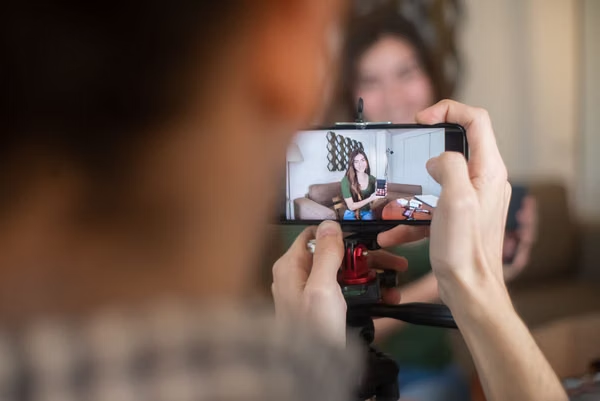
How to Film a K-Pop Audition at Home
Prepare clear vocal and dance audition videos at home with practical checks for framing, lighting, sound, file size, and submission instructions.

K-Pop Audition Eye Contact: How to Practice on Camera
Practice natural eye contact for camera and in-person K-pop auditions with a three-point exercise and section-by-section rehearsal tips.

How to Record an Honest K-pop Audition Practice Clip
Record a clip that lets listeners hear what you can actually sing. Clear video and audible vocals help; heavy pitch correction, layered takes, and strong effects can make it harder to connect the recording with your live performance.

How to Prepare a K-Pop Visual Audition Video
Prepare a natural introduction, a clear walking-and-pose clip, and short expression-focused videos when a visual audition requests them.